- Home
- How it works
From what AI tells your buyers to the fix that gets you named
Searchistry asks AI the questions your buyers ask, every day. It shows where AI recommends a competitor instead of you and why, and its agents close the gap. Here's the whole path, on the real dashboard.
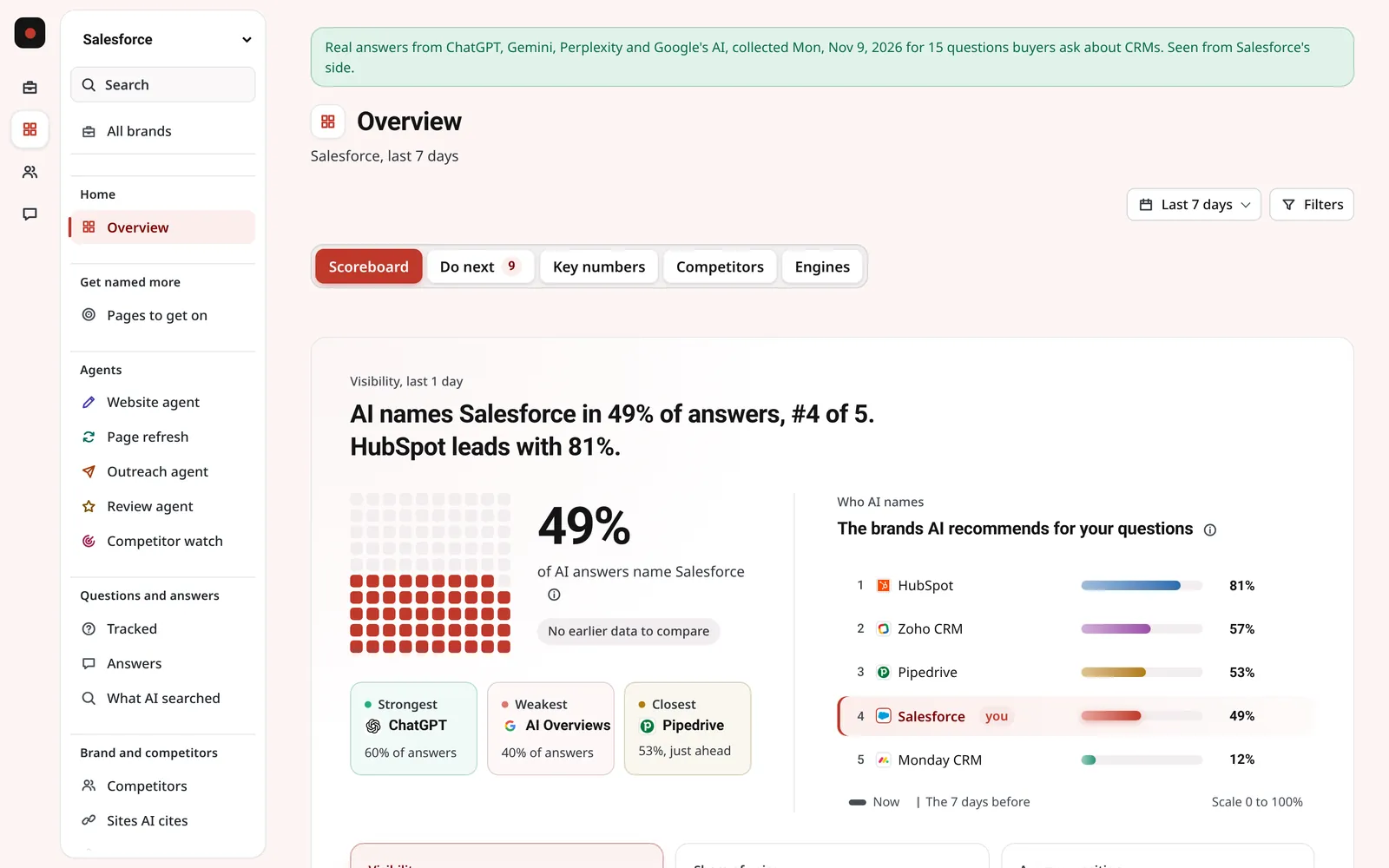
Step 1: Set up from your website
No setup calls and nothing to install. Type your website and Searchistry does the first draft: your competitors, the questions buyers ask, and the AI platforms to ask them on. You keep, change or add to all of it.
- A few minutes
- Nothing to install
- Any country, any language
Reading the site
- Home page
- About page
- What it sells, and to whom
Competitors found
Questions buyers ask AI
AI platforms
Example: salesforce.com, with the competitors and questions tracked in the live dashboard.
Step 2: Every day, AI is asked your questions
Each question goes to every AI platform you track, from the country and in the language you set. Every answer is saved, so nothing rests on one lucky day.
6,000answers a month, every one saved
- ChatGPT
- Gemini
- Perplexity
- AI Overviews
- AI Mode
- Copilot
Step 3: See where you stand
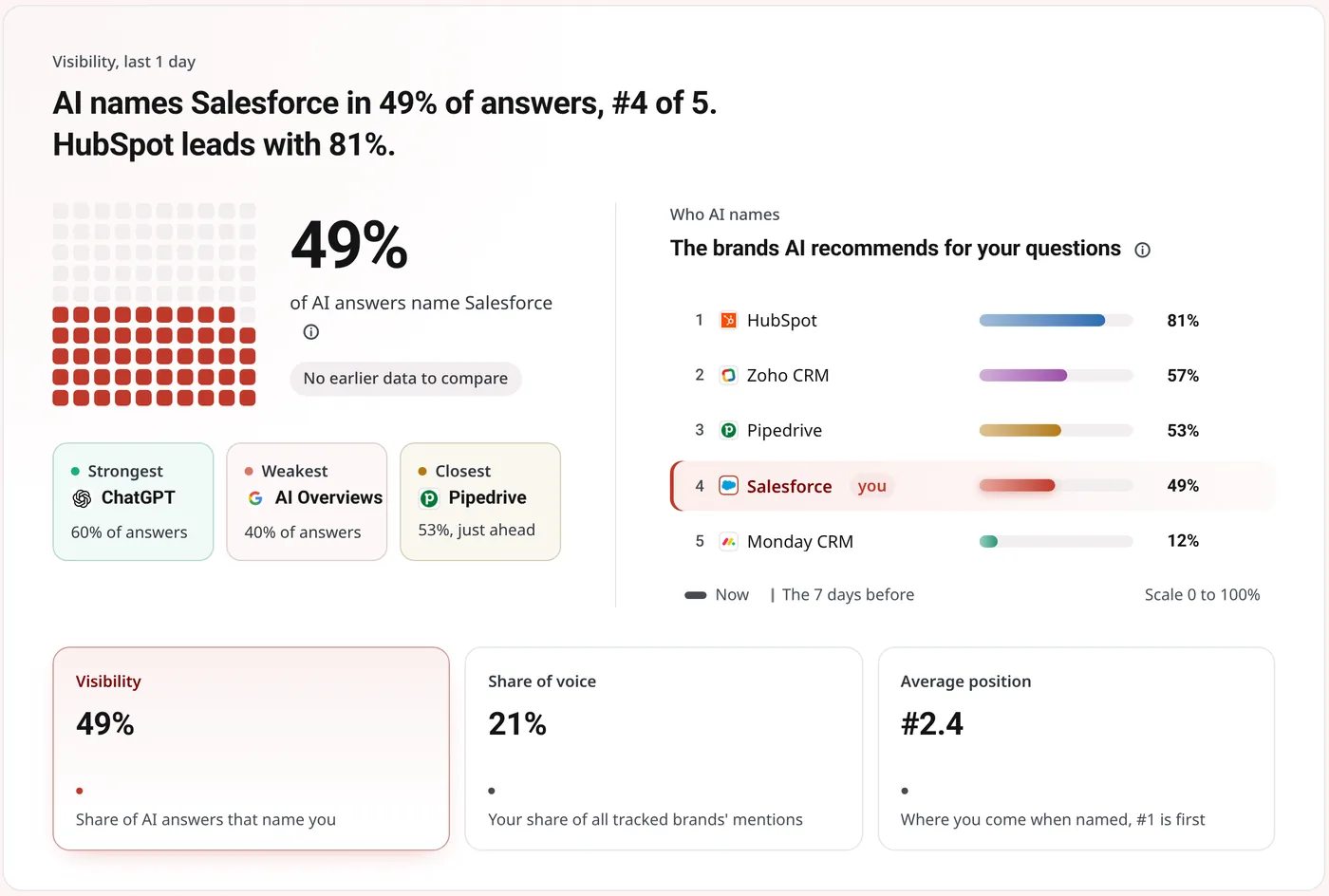
One number to start: the share of answers that name you. Then your rank, your share against competitors, and where in the buying journey AI leaves you out.
Salesforce, named by AI at each stage of the buying journey
- 47%LearningProblems, definitions, how to
- 44%ComparingWeakestBest options, alternatives
- 67%ChoosingPrice, reviews, trust
Step 4: Find out why
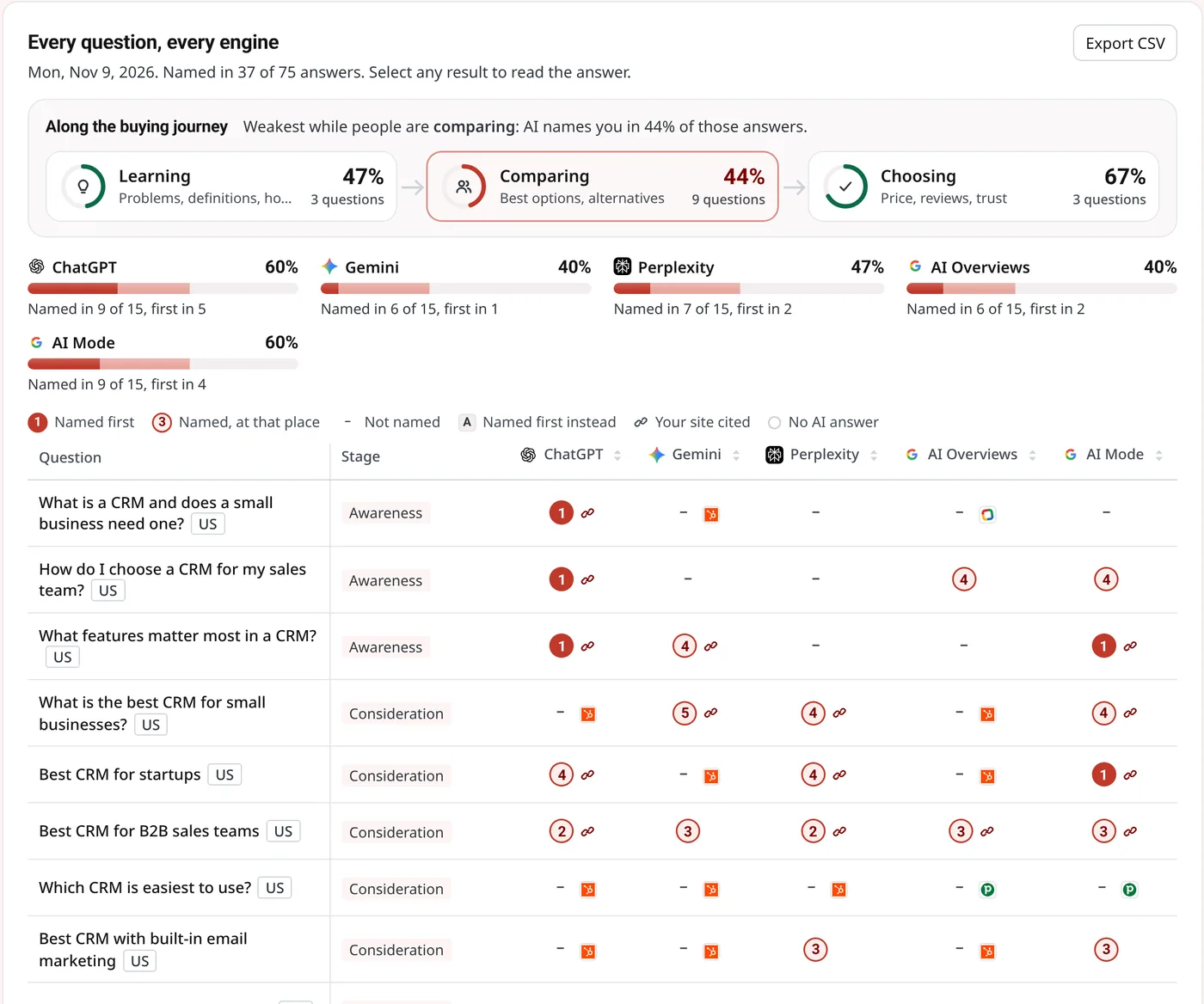
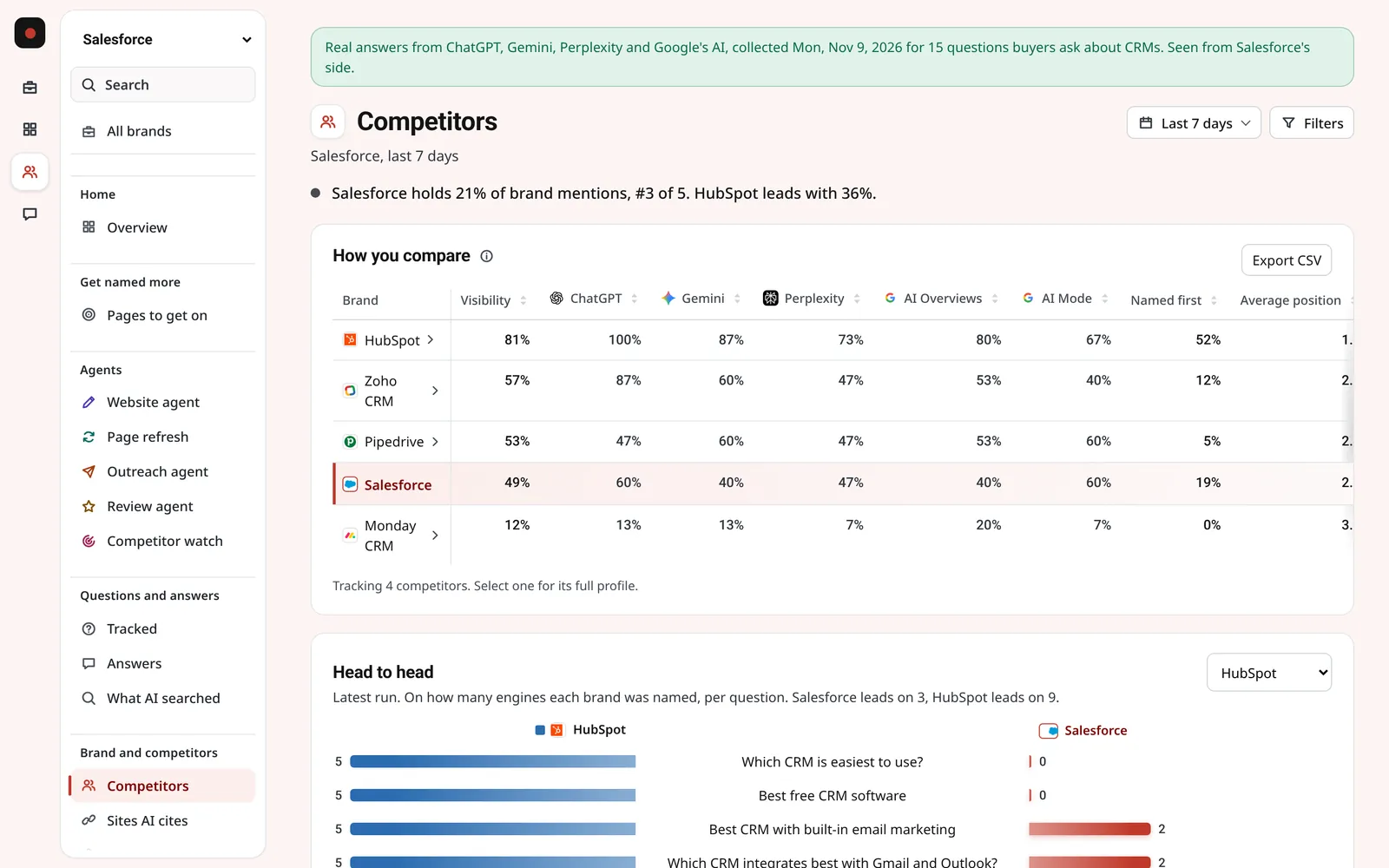
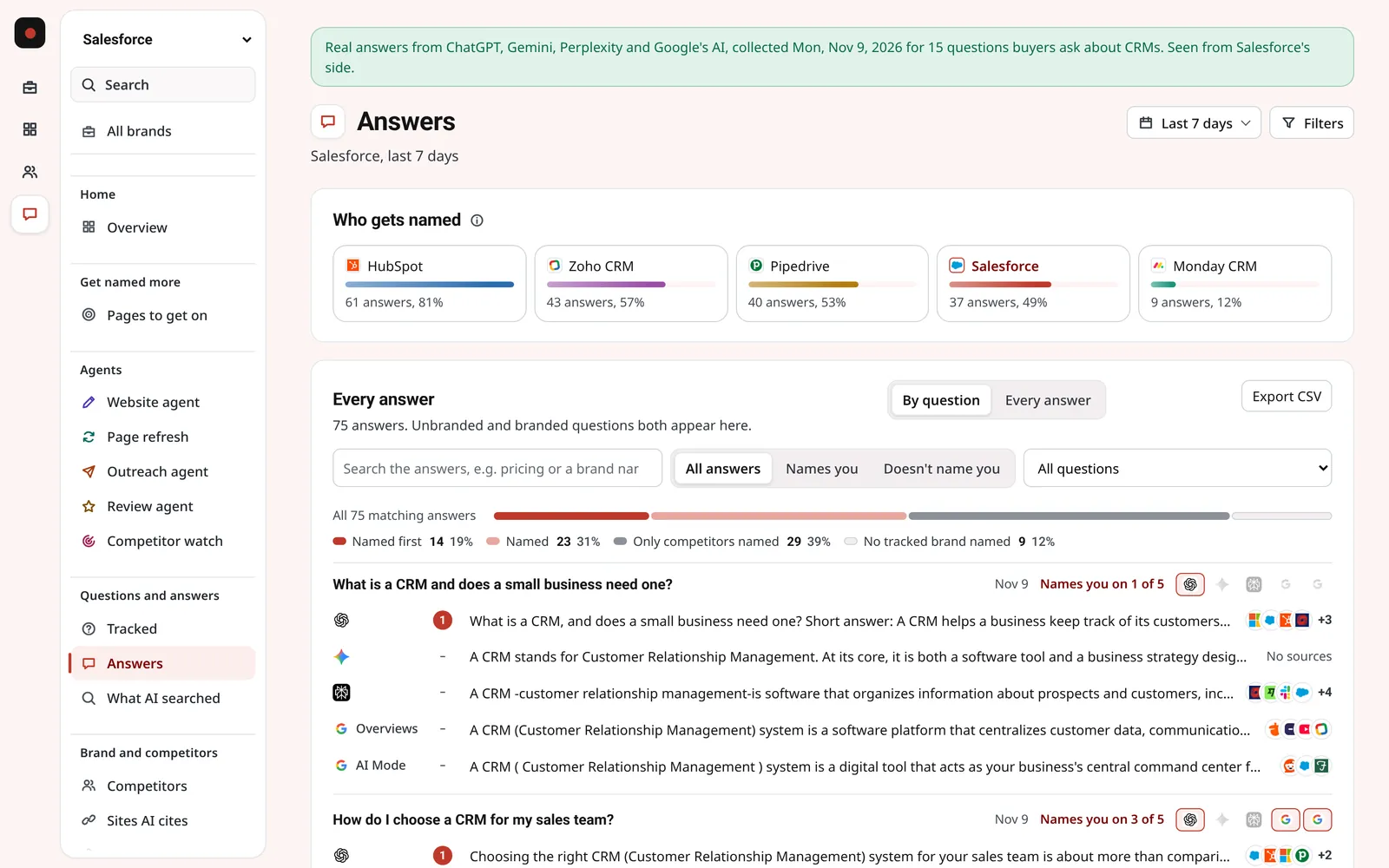
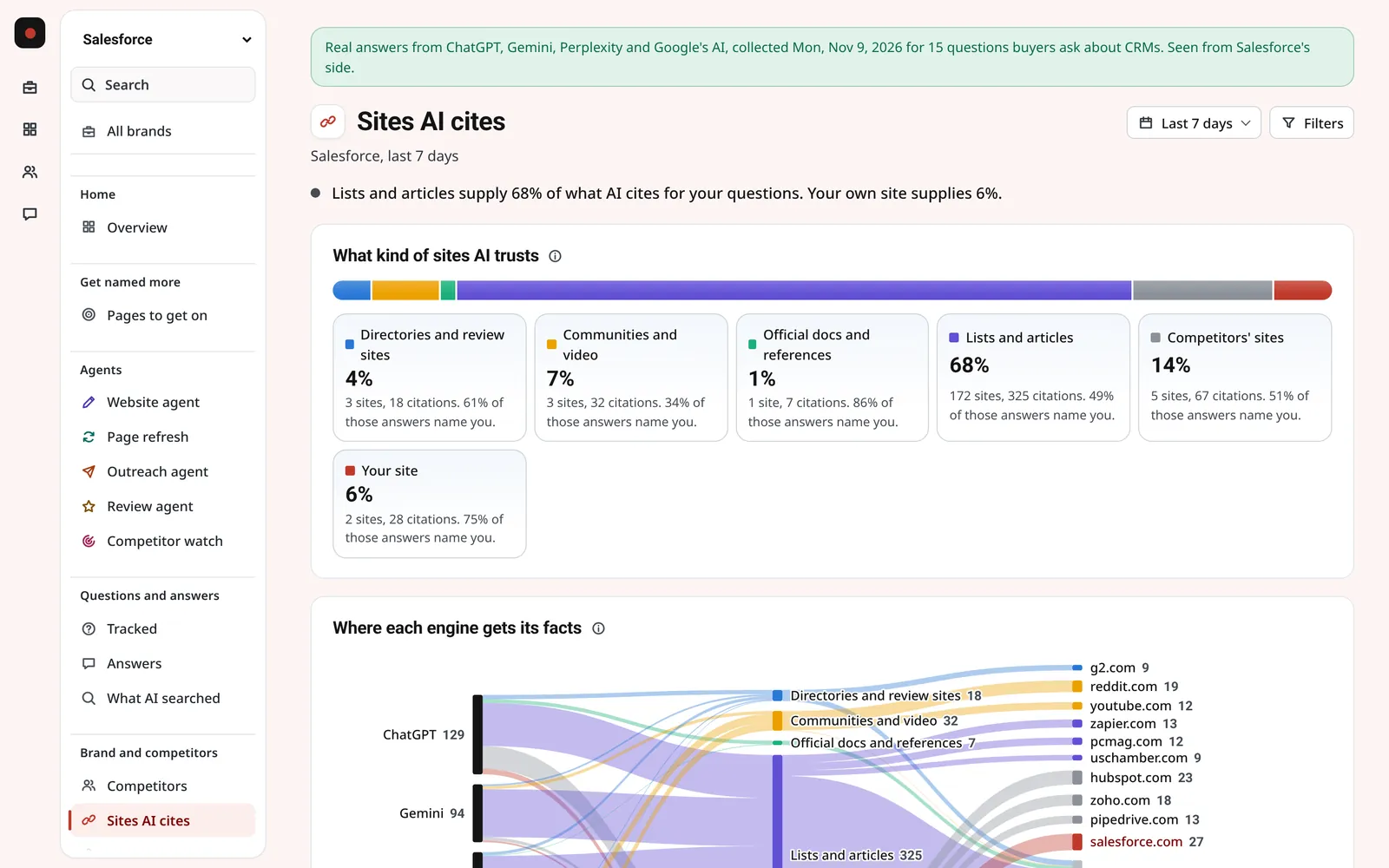
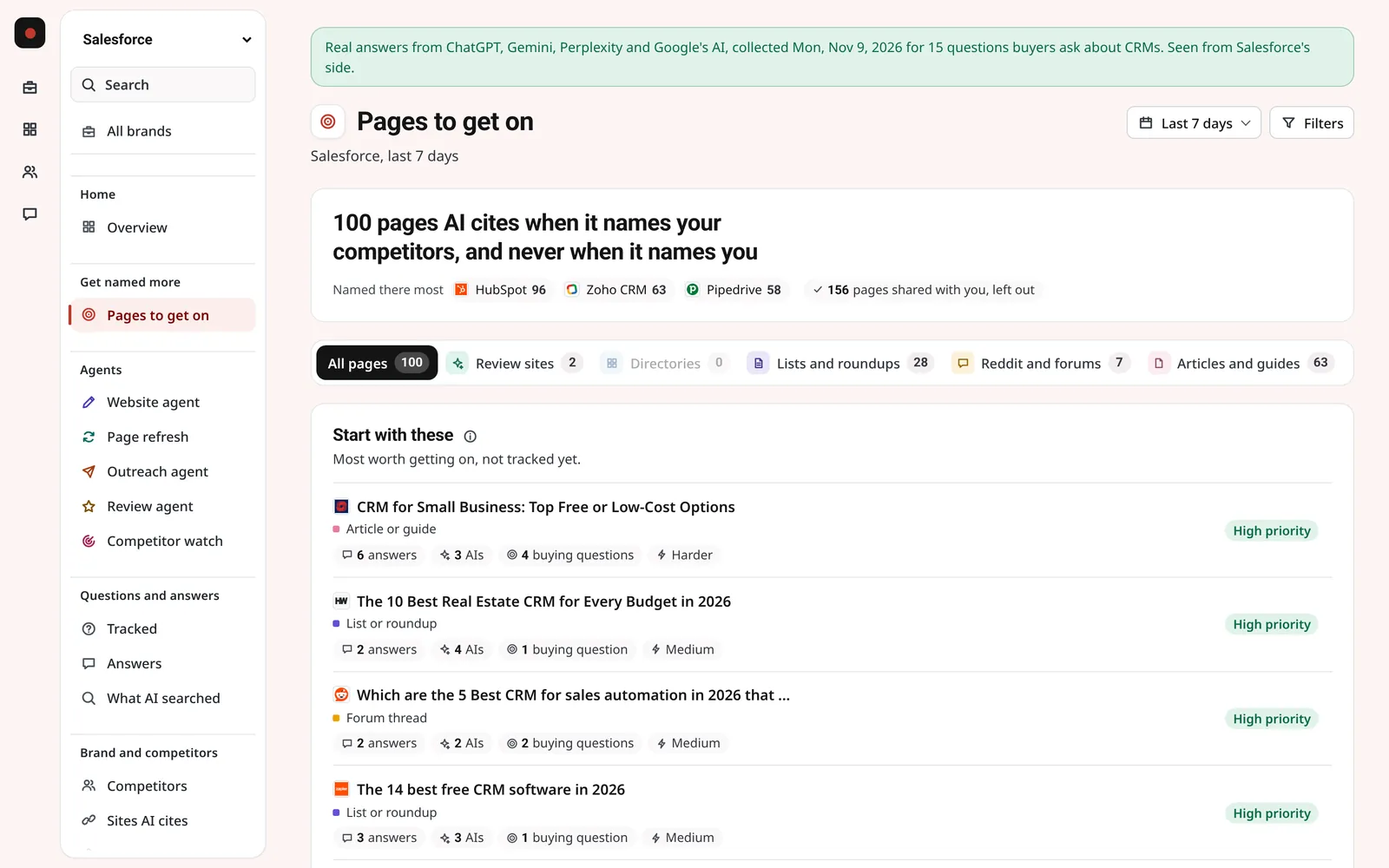
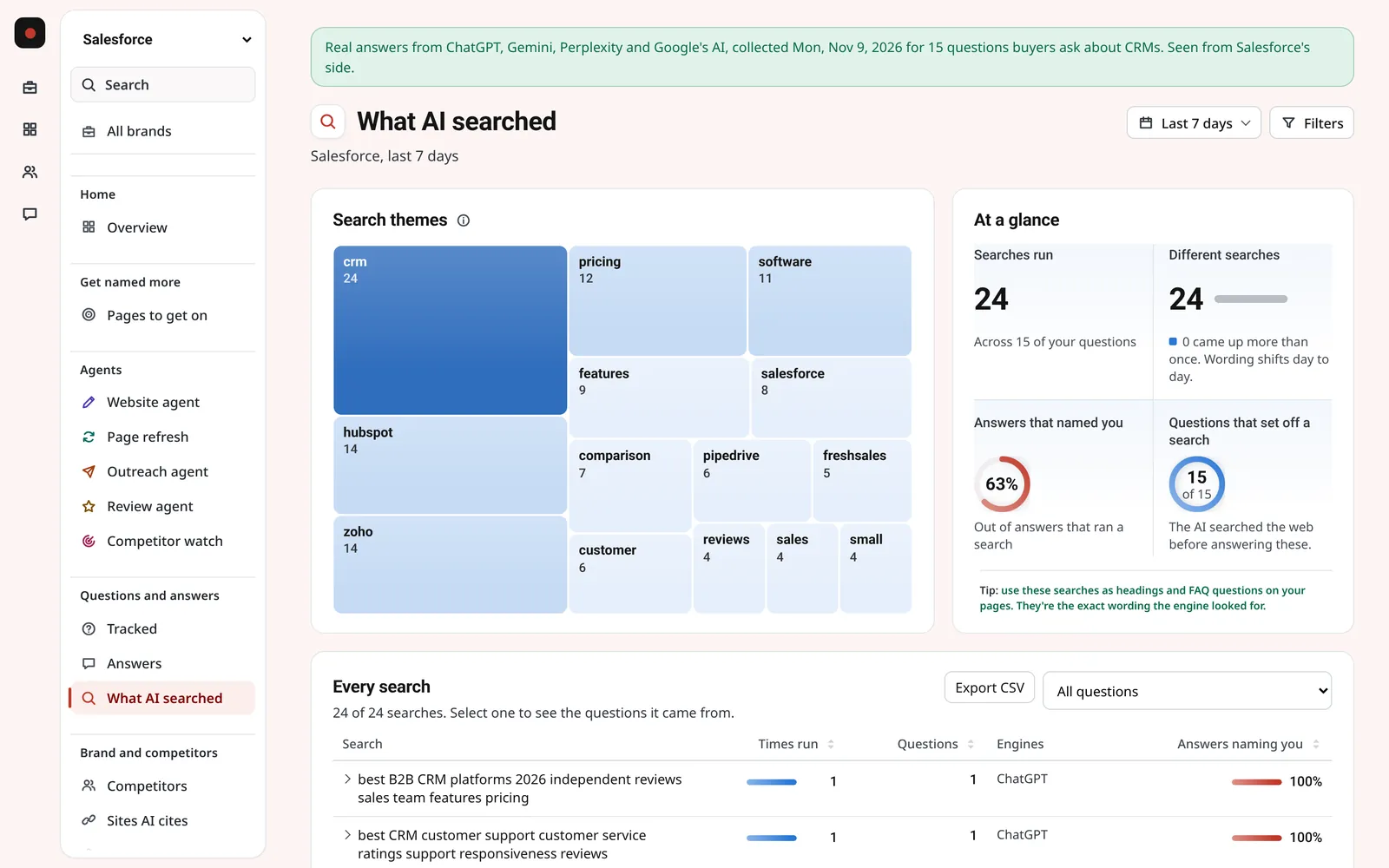
A score tells you that you're losing. These pages tell you why: who AI picks instead, what it said, and where it got the idea.
Step 5: Fix it, your way
Every gap becomes a fix on one list, most useful first. Then pick who does it, test the page, publish, and the next run shows whether AI names you.
Each fix comes with its reason and the steps to take.
Pick a fix and press Start. You approve what comes back.
With the managed service, we do the work and you see every change.
About the managed serviceStep 6: See what worked
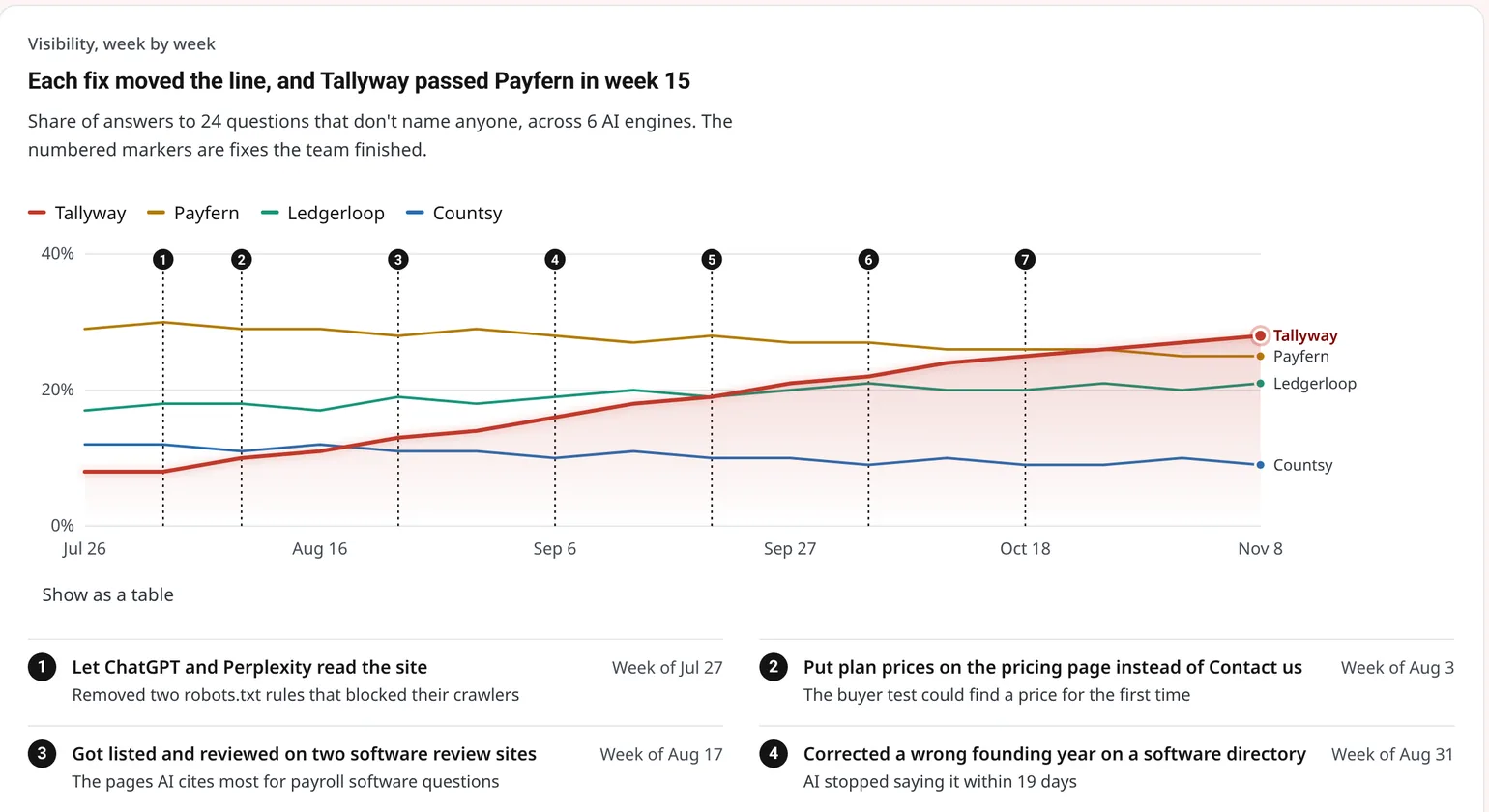
Each finished fix is marked on your trend, so you can see which ones moved the line, and which ones brought people to your website.
- Every finished fix, marked on your trend
- Visitors and leads from AI
- A read-only link to share
Everything in the dashboard
Every plan has every page, every report and every alert. Plans differ in how many questions, platforms and agent runs you get.
Home
- OverviewYour score, trend and ranking
- Weekly briefEvery Monday: what moved last week, why, and the three things to do
- What changedWhat moved since the period before, and why
- AlertsChanges that need a look
Get named more
- What to fixYour to-do list, most useful first, and how much each finished fix helped
- Pages citing competitorsThe pages AI cites for competitors and never for you
- Test a pageSee whether a new page would get you named, before you publish it
Questions and answers
- Tracked questionsThe questions every AI answers on every run
- Most-searched questionsWhat people search most about what you do, checked monthly
- Discover questionsNew questions to track, from your answers, keywords or a topic
- Try a questionAsk AI any question once, right now
- AnswersWhat each AI actually said
- What AI searchedThe web searches AI ran before answering
Brand and competitors
- CompetitorsWho gets named most, and how often
- How AI sees youThe story each AI tells about you, against the one you want
- Sites AI citesThe websites AI gets its facts from
- AI shoppingThe products AI recommends, and whether yours are among them
Your website
- Visitors from AIPeople and leads that came from AI assistants
- Google and AIGoogle Search next to AI: visits, pages AI skips, real searches
- Can AI read your site?Whether AI can reach and read your site
- Can AI use your site?Whether an AI assistant can find your price, book a demo and send a message
Share and manage
- All brandsEvery brand or client at a glance
- Share a reportA read-only link for your team, leadership or clients
- SettingsBrand details, platforms, competitors, questions, team and plan
Questions about how it works
Something else? Email hello@searchistry.ai and a person replies.
How long does it take to set up?
A few minutes. You type your website, Searchistry suggests your competitors and the questions your buyers ask, you keep or change them, and the first answers come in the same day.
How often are the questions asked?
Every day on every plan. You can switch a brand to every 2 days, every 3 days or weekly. Every paid plan adds 1 more assistant you choose, Claude or one of 7 others, asked all your questions weekly. Claude can also be asked every day as an add-on.
Where do the questions come from?
From your website and your market. Searchistry suggests questions from what you do, the keywords you pick and the topics you care about, shows the most-searched questions about your field, and you can add your own. Your scores come only from the questions you choose to track.
Which countries and languages work?
193 countries, in any language. Each question is asked from the country and in the language you set, so answers match what your buyers see.
Can I track one specific model, like Claude Opus or GPT Sol?
Yes. Besides the apps people use, any paid plan can track individual models as weekly add-ons: Claude Sonnet, Opus and Fable; GPT Luna, Terra, Sol and Astra; Gemini Flash, Pro and Argon; and Sonar Pro and Sonar Reasoning Pro. Each moves to its newest version by itself, so you never track an old one. See the list and prices on the pricing page.
Can I share it with my team or clients?
Yes. Every plan has unlimited seats, and you can share a read-only report link. From the Growth plan, shared reports carry your own logo.
Can I try it on my own brand first?
Yes. The free AI check shows who AI recommends instead of you in about a minute, with no sign-up. The 7-day free trial tracks up to 25 questions on 4 AI platforms you choose, every day.
See it on your own brand
The free AI check shows who AI recommends instead of you in about a minute. No sign-up, no email needed.